Just as an architect shows you around their own house, we take you past systems we have delivered. Every room is a project, with its own purpose and its own client. Click a room on the floor plan or simply scroll along.
Personal data in the images has been replaced with sample text.
Floor plan · PortfolioSheet 01 / 01
Click a roomScale: custom
Room 01AI website development
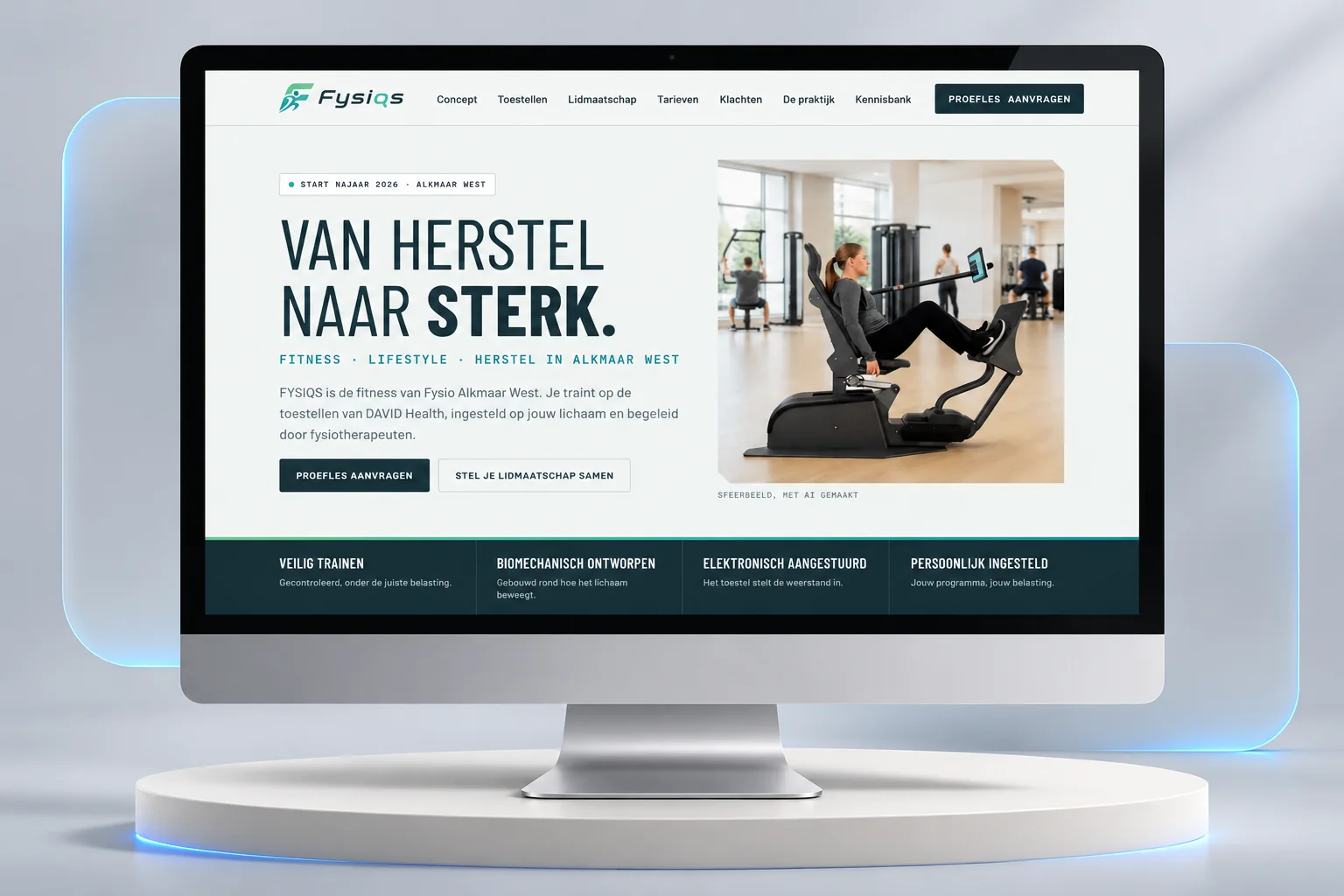
FYSIQS · Commissioned by DAVID HealthThe entrance: a first impression that converts.
A website is the front door of an organisation. Commissioned by DAVID Health, we built a site for FYSIQS, a new fitness studio at a physiotherapy practice, that feels calm, builds trust and guides visitors step by step to a trial session.
Live website⤢
DESIGN · CONTENT · CONFIGURATOR · CONVERSION
What we built
Membership configurator: the right programme in four questions
A clear pricing structure and a trial session request in one flow
Equipment and complaint pages that explain per joint what you train
Knowledge base, FAQ and safety information for a careful audience
Building materials
Web designCopywritingConversionSEOAccessibilityGDPR-compliant forms
DAVID Health · Floor PlannerThe studio: where a space is designed.
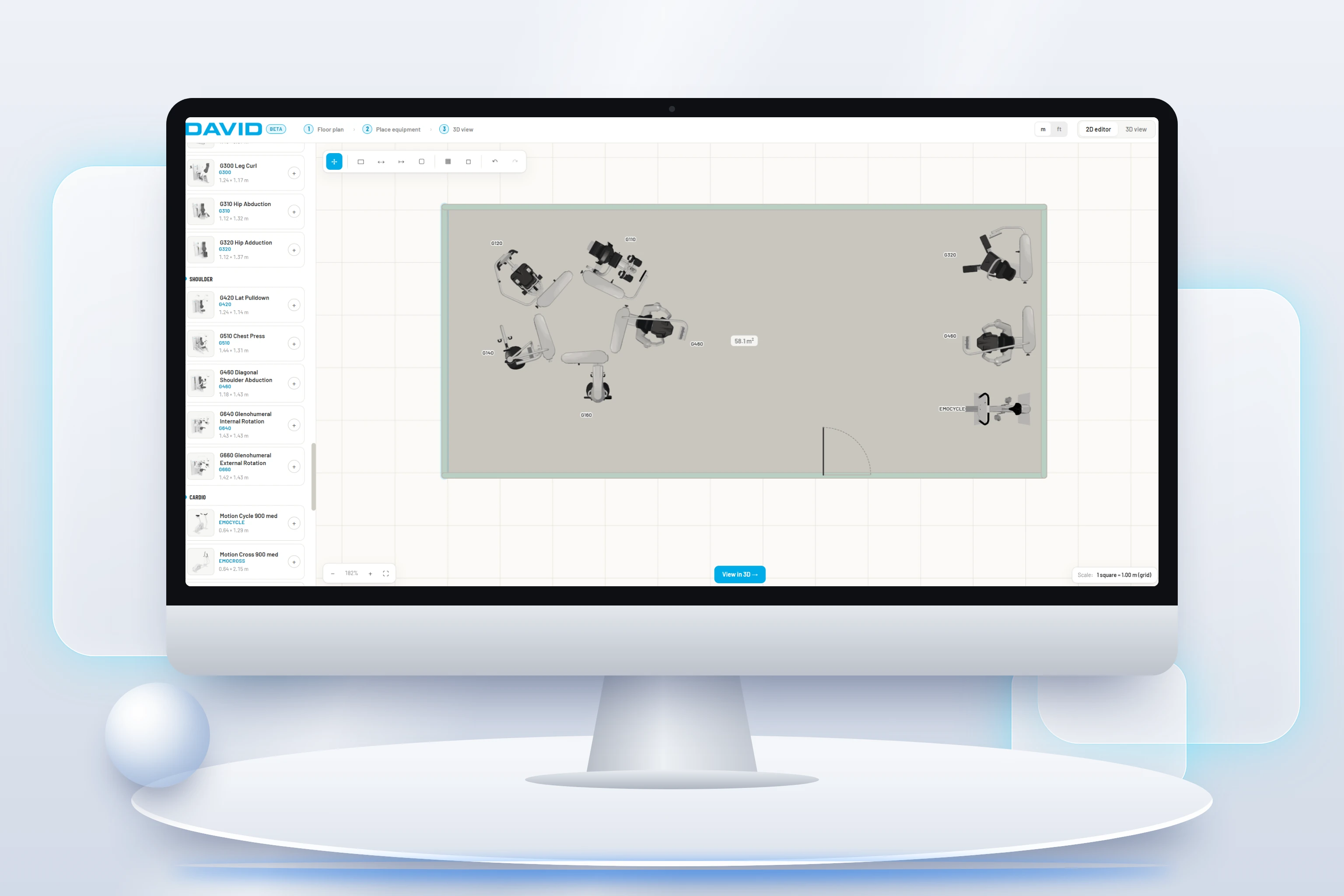
A 2D and 3D floor planner for the DAVID Health sales team. At the client's site: upload a floor plan, draw walls, place equipment and walk through the space in 3D straight away. Exactly what we do with this website too.
2D editor⤢
2D · 3D · MEASURE · RENDER
What we built
Upload a floor plan (photo, scan or PDF) and trace walls automatically
Measuring tools for distances and areas, in metres or feet
Complex 3D models of the equipment turned into a simple, downloadable floor plan
Live 3D view with shadows and render export
Building materials
Web app3D / WebGLImage recognitionSales toolUX design
DAVID Health · 3D configuratorThe showroom: configure your machine in 3D.
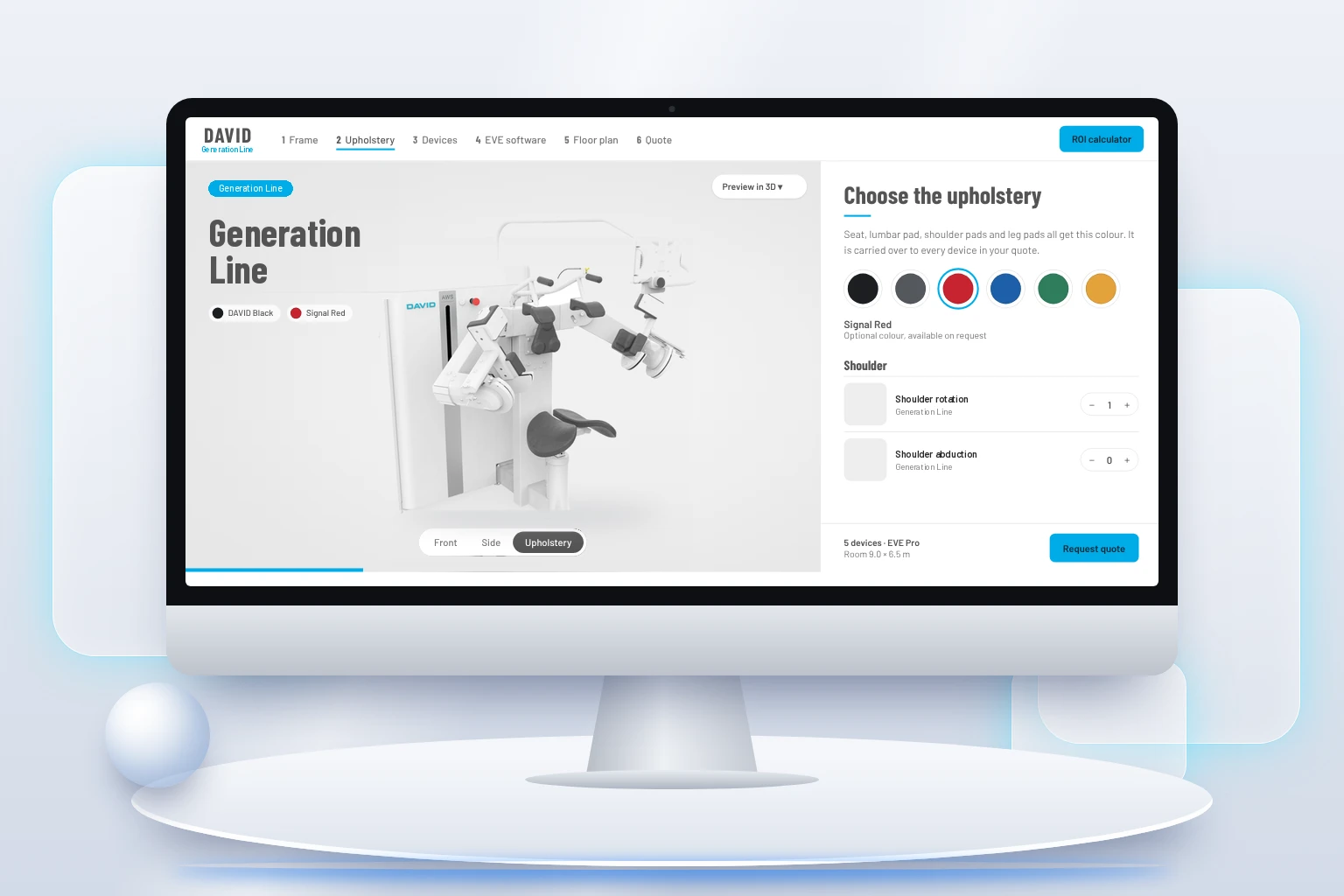
Commissioned by DAVID Health, we built a 3D configurator. Clients choose a machine, put together the upholstery and see the result in 3D straight away. They then lay out their space on a floor plan and request a quote in one go.
3D configurator⤢
MACHINE · UPHOLSTERY · 3D · FLOOR PLAN · QUOTE
What we built
Step-by-step configurator: frame, upholstery, machines, software, floor plan and quote
Live 3D view of every machine in the chosen colour combination, from several camera angles
Floor plan where machines can be dragged and rotated, with overlap checks
ROI calculator and a quote request with summary
Building materials
3D / WebGLProduct configuratorQuote flowROI calculationMultilingual
eUlift · Erasmus+ projectThe classroom: a clear message for healthcare professionals.
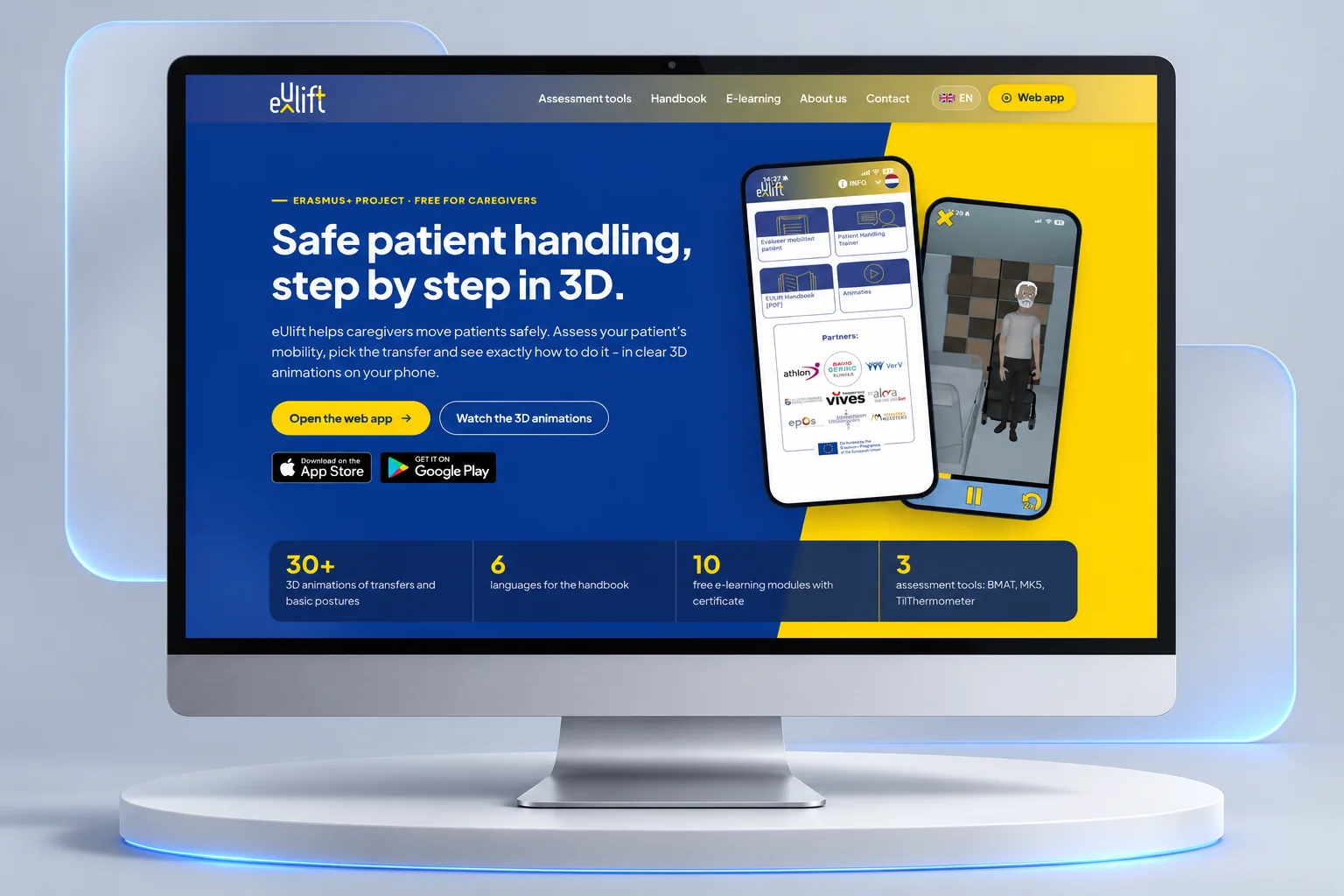
An interactive, multilingual website for the Erasmus+ project eUlift. The site promotes the 3D app for safe patient transfers to healthcare professionals, with a message that is clear within seconds.
Multilingual website⤢
The project we built the website for
30+3D animations of transfers
6languages for the handbook
10e-learning modules with certificate
3assessment instruments
What we built
A unique, interactive website promoting the 3D app to healthcare professionals
Multilingual set-up for a European audience
Pages for the handbook, the e-learning and the partner overview
“Bastiaan helped us enormously to get our message across to healthcare professionals clearly and convincingly.”Tania Goderis · AZ Alma
Administration portal · Commissioned by BFF TradingThe office: where daily work runs by itself.
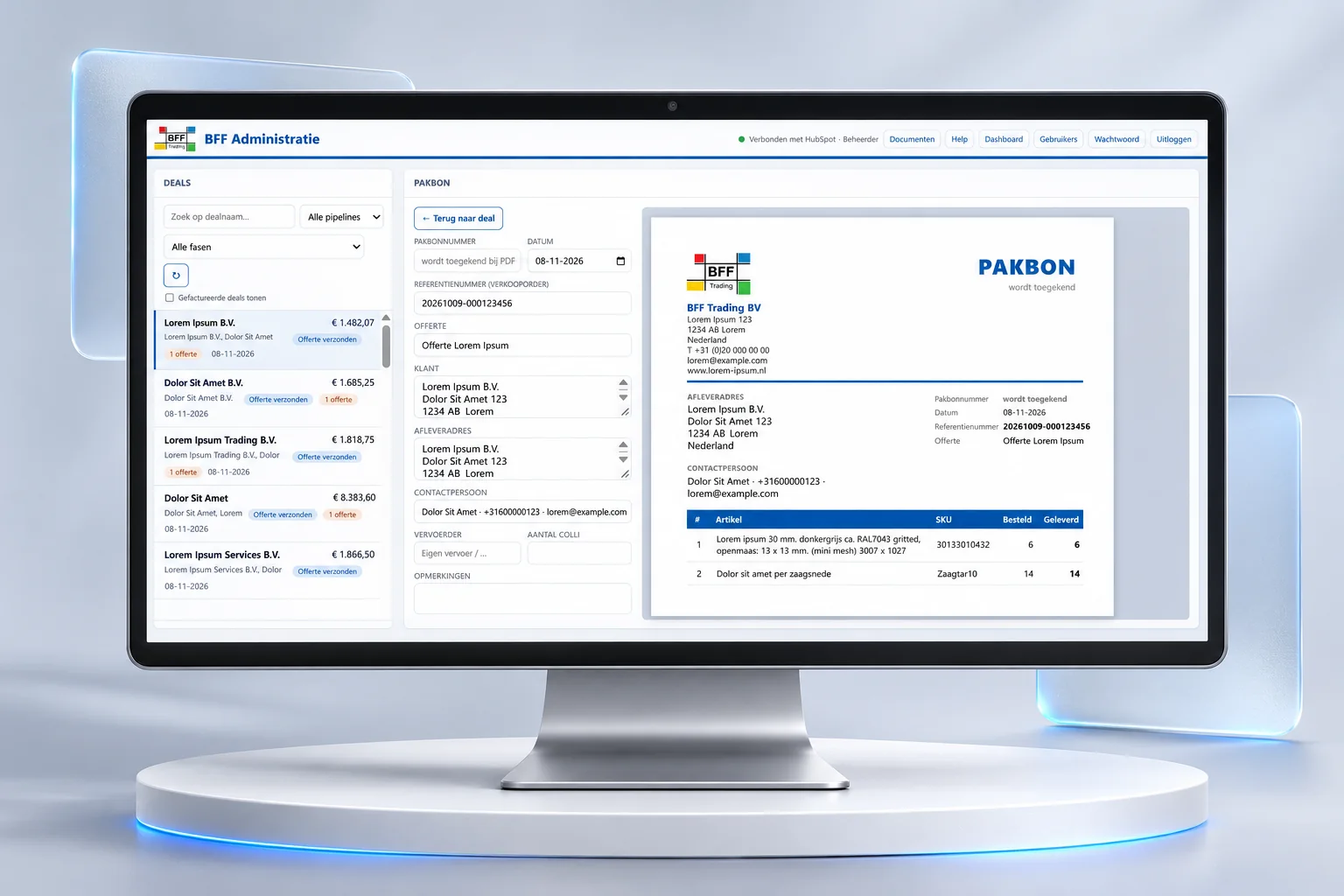
Commissioned by BFF Trading, a supplier of composite products in IJmuiden, the Netherlands, we built an internal portal connected directly to the CRM and the payroll system. Employees see their deals, create a packing slip in a few clicks and the document is ready as a PDF. Less retyping, fewer errors.
Internal portal⤢
HUBSPOT · NMBRS · DOCUMENTS · ROLES
What we built
Live HubSpot integration: deals, quotes and stages in one overview
Integration with Nmbrs, the HR and payroll software
Packing slips and documents automatically formatted as PDF
User management with roles, password policy and a personal dashboard
Visit BFF Trading ↗🔒 The portal itself is private and not publicly viewable. A demo is available on request.
Room 06AI sales platform
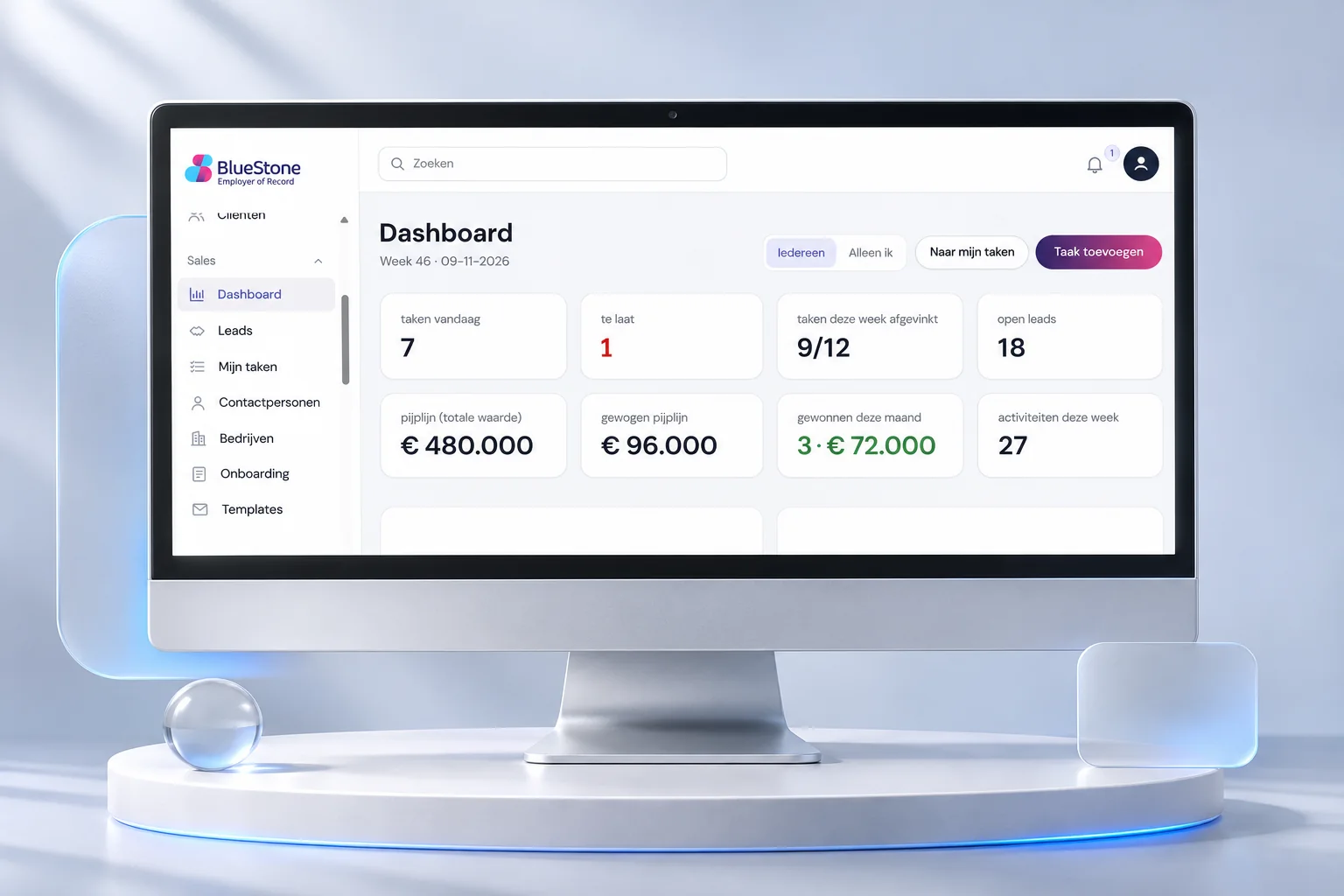
BlueStone · Employer of RecordThe sales room: the whole pipeline at a glance.
A custom sales platform: leads, tasks, contacts, companies and onboarding in one environment. Every morning the dashboard shows the team what needs to happen today and where the revenue is.
Sales platform⤢
LEADS · TASKS · PIPELINE · ONBOARDING
What we built
Dashboard with tasks, overdue items, (weighted) pipeline and results
Leads, contacts and companies in one coherent data model
Onboarding flows and email templates for consistent follow-up
Building materials
Custom CRMDashboardsWorkflowAI assistance
🔒 Private system, not publicly viewable. A demo is available on request.
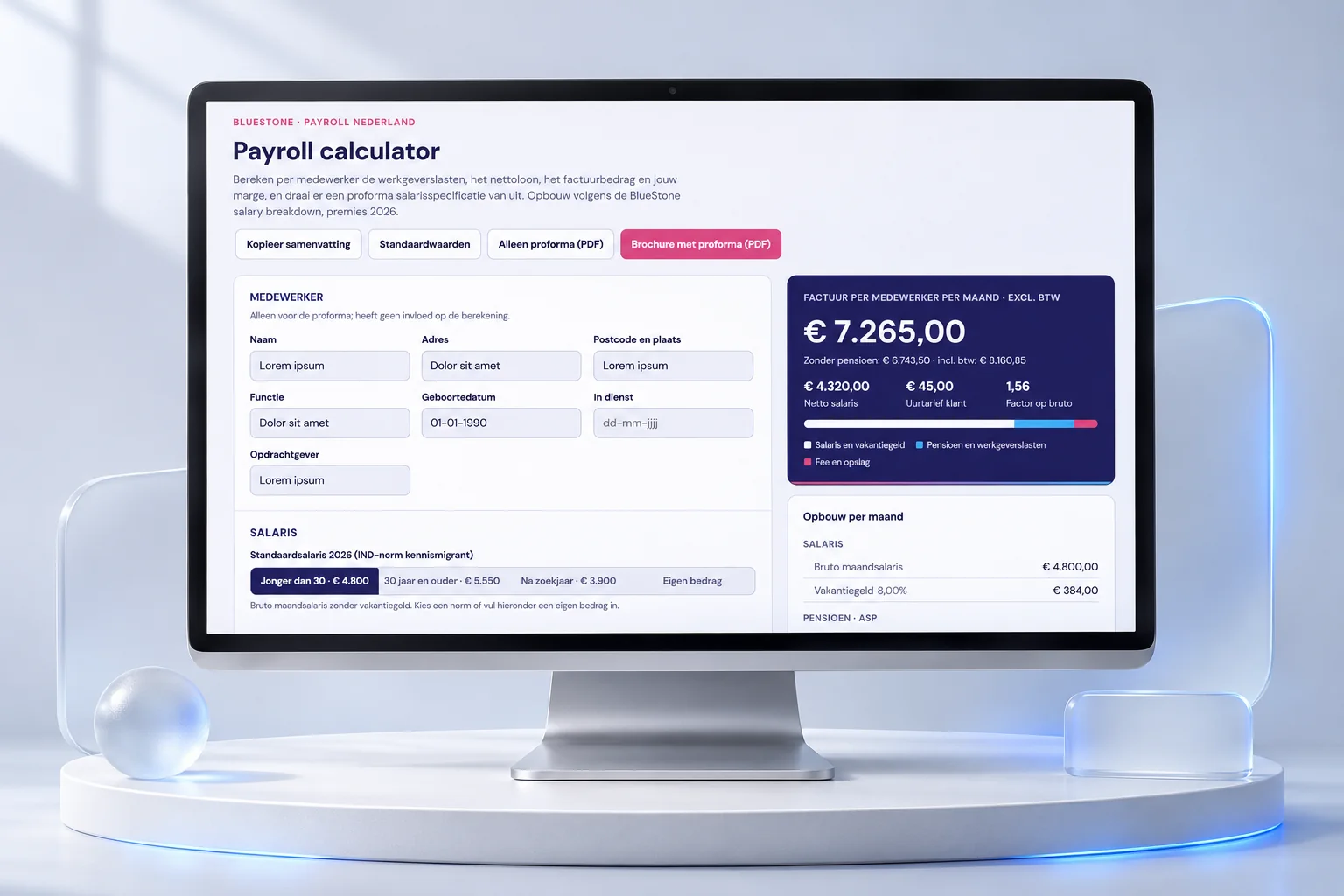
A calculator that works out employer costs, net salary, invoice amount and margin per employee, and turns them straight into a pro forma payslip or brochure as a PDF.
Calculator⤢
CALCULATION · PRO FORMA · PDF
What we built
Calculation model with current contribution rates, standard amounts and custom input
Live monthly breakdown: salary, pension, employer costs and fee
🔒 Private system, not publicly viewable. A demo is available on request.
Room 08AI website development · Plugin
FVGO · Find your care providerThe map room: the right care provider, on the map.
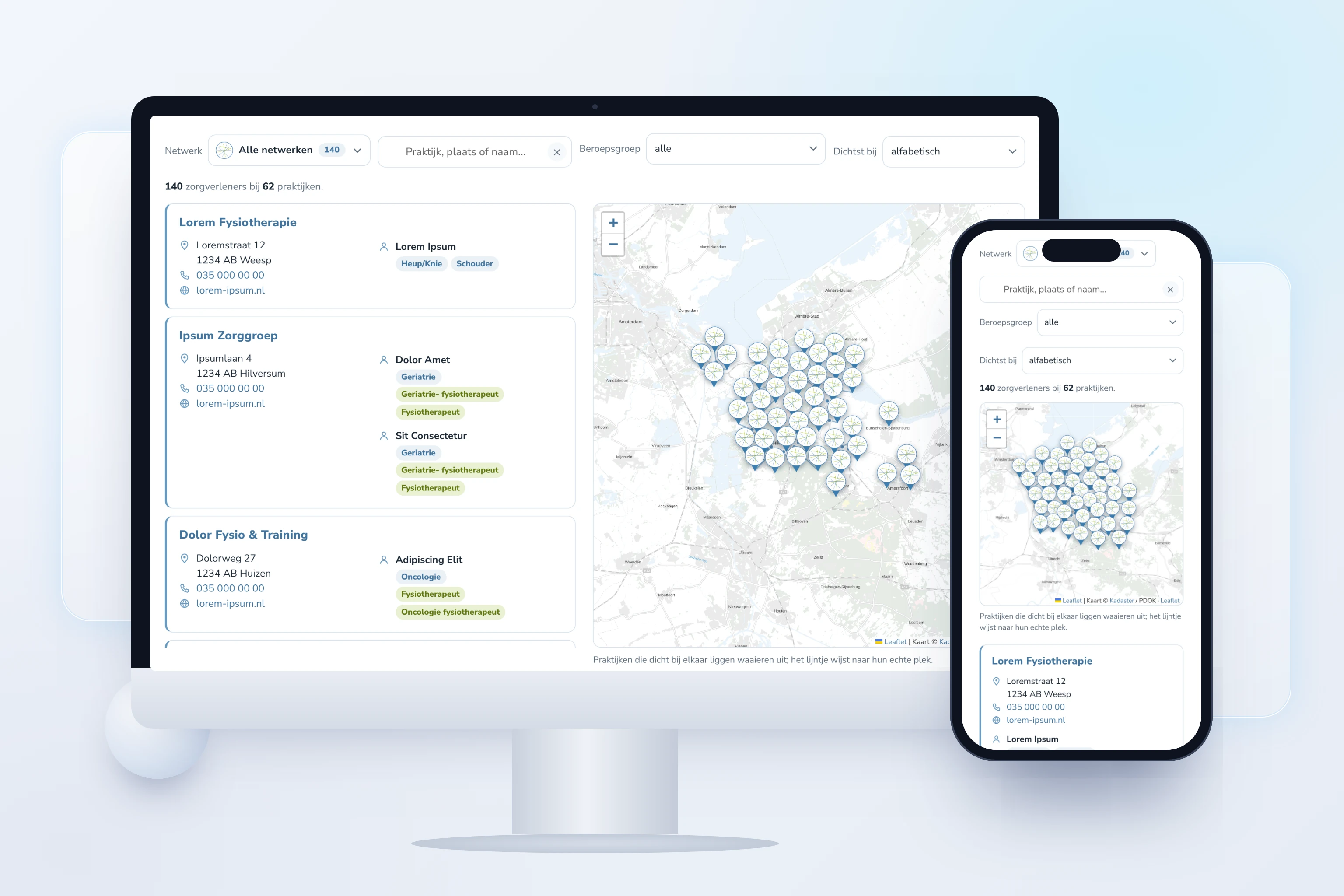
A care provider finder as a plugin for the existing website of FVGO, a regional physiotherapists' association in the Netherlands. Patients filter by network, profession and town, and see the practices in a list and on a map.
Plugin · Map⤢
FILTERS · LIST · MAP · LIVE DATA
What we built
Search by practice, town or name, with filters for network and profession
Sort by distance to a chosen town, or alphabetically
A map on which practices close together fan out, with a line to their real location
Data taken straight from the FVGO directory, so always up to date
BNW · Signing moduleThe signing room: an agreement signed in minutes.
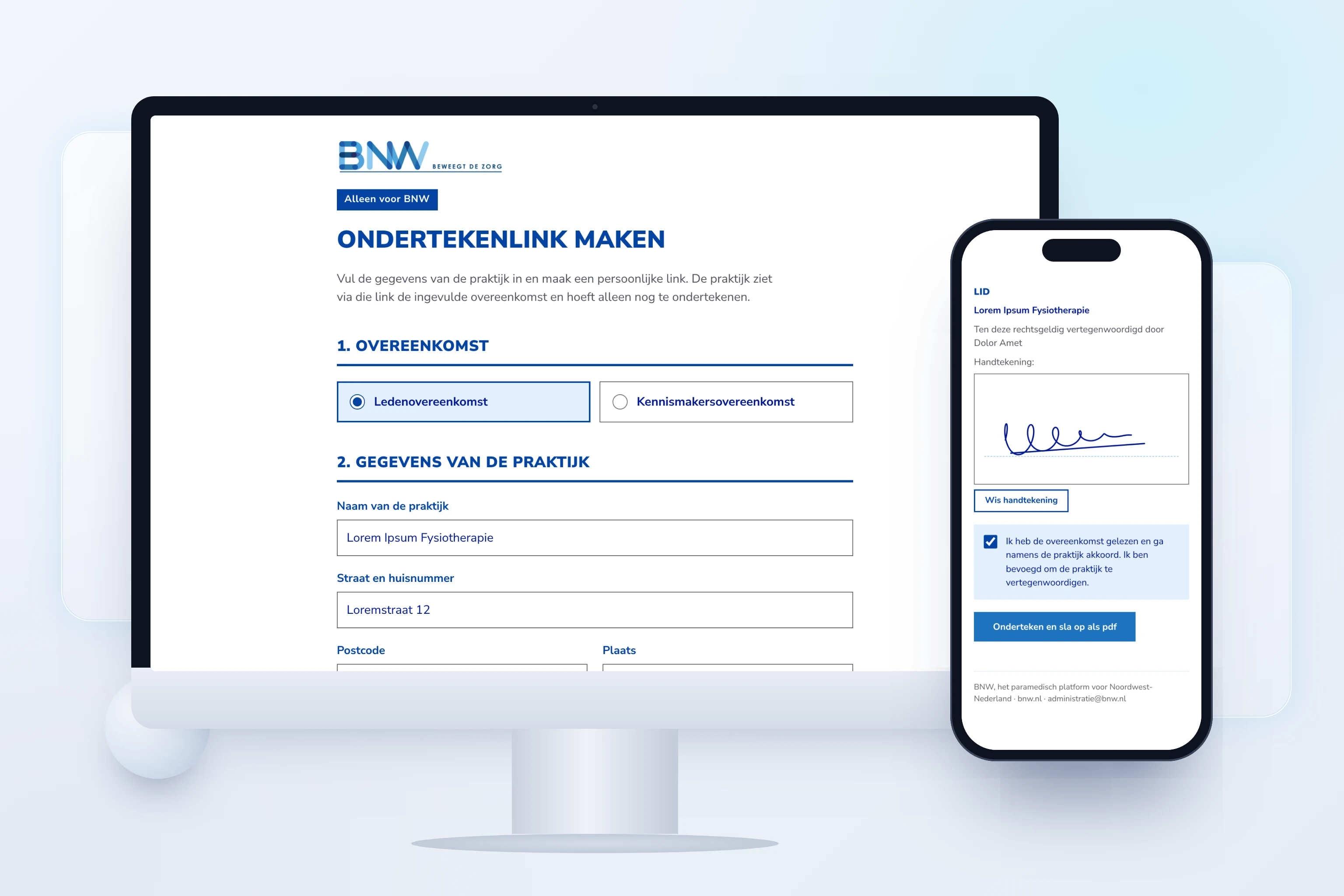
For BNW, the allied health platform for the north-west of the Netherlands. BNW creates a personal link for each practice; the practice checks the pre-filled details, reads the agreement and signs with a finger or mouse. The result is a signed PDF.
Link · Signature · PDF⤢
CREATE LINK · CHECK · SIGN · PDF
What we built
Link maker for BNW: enter practice details, validated against Chamber of Commerce number, AGB healthcare code and postcode
Signing forms for the membership agreement and the introductory membership agreement
Signature with finger or mouse, on phone and computer
Signed agreement as a PDF, formatted in the BNW brand style
Building materials
Digital signingPDF generationValidationBrand stylePrivacy
🔒 Internal BNW tool, not publicly viewable. A demo is available on request.
Room 10AI app · Service guide
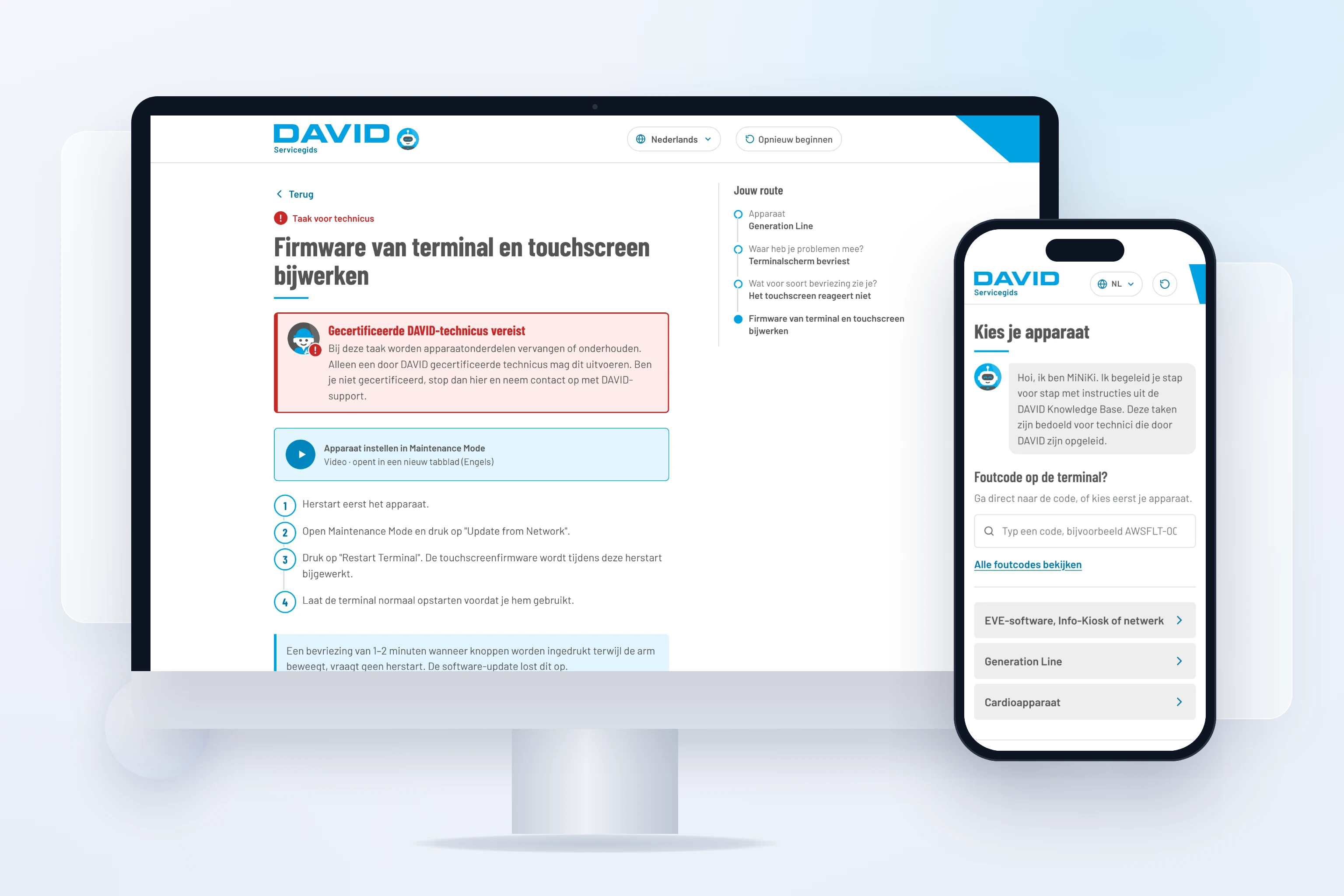
DAVID Health · Service guide for techniciansThe workshop: fixing faults, step by step.
A service guide for DAVID distributors and technicians. The assistant MiNiKi asks a few questions and guides the technician to the right solution, with instructions, videos and warnings from the DAVID Knowledge Base. If that does not fix the fault, an email to DAVID support is ready straight away, listing everything that has been tried.
Step by step · Six languages⤢
DEVICE · PROBLEM · STEPS · SUPPORT
What we built
Question route per device (EVE software, Generation Line, cardio) to the right solution
Search directly by the error code shown on the terminal
Steps with videos and warnings; tasks for certified technicians are clearly marked
Every choice and step is recorded; if it does not work, the support email is already filled in
In six languages: Dutch, English, German, French, Spanish and Portuguese
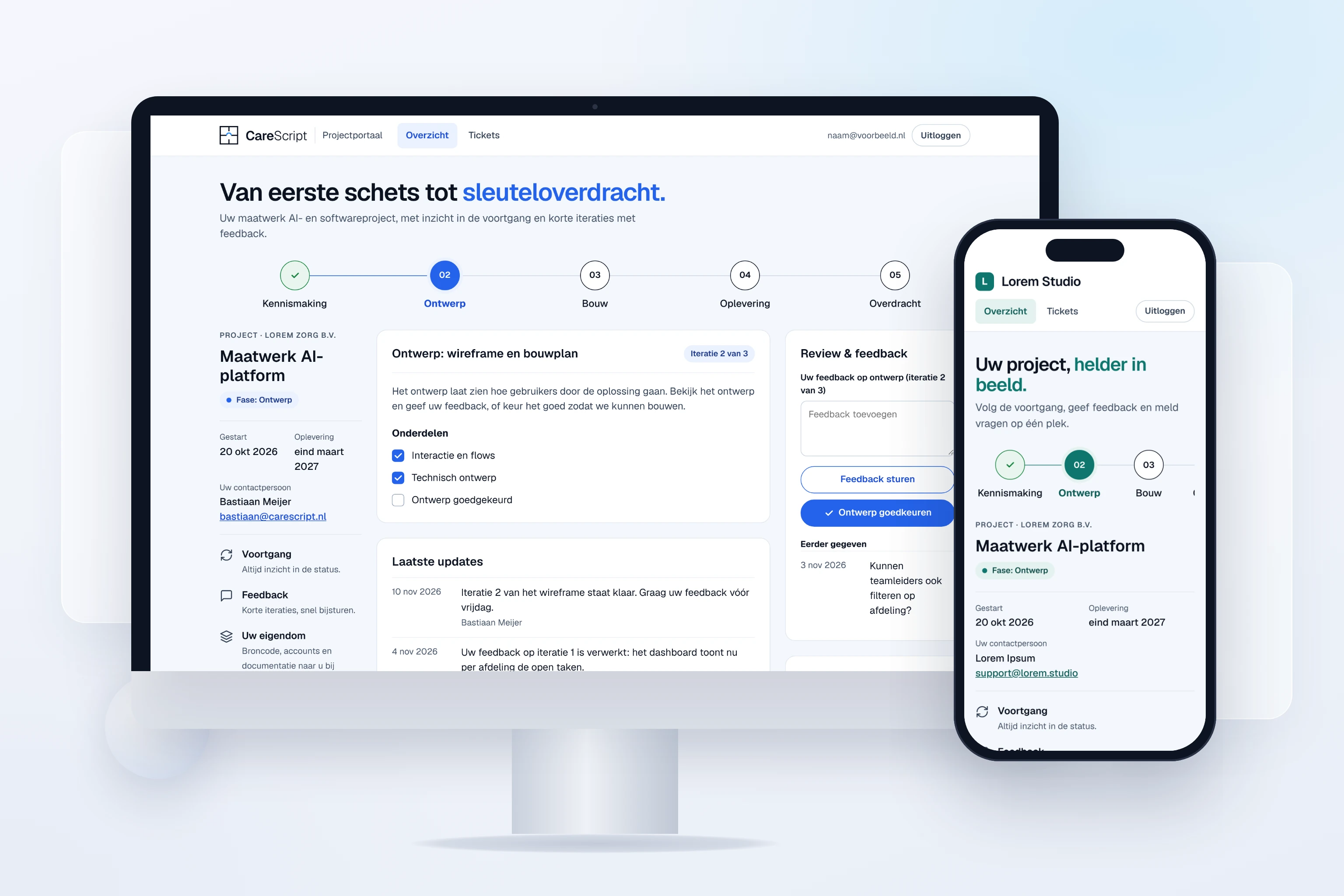
CareScript · Client portal with ticketsThe control room: progress and tickets in one portal.
Our own client portal. Clients follow the progress of their project, give feedback, approve a phase and report questions, bugs and requests as tickets. The portal is white-label: name, logo, colours and contact details are set per organisation, so it can also run in your own brand style.
White-label · Tickets⤢
PHASES · FEEDBACK · FILES · TICKETS
What we built
Project overview with five phases, items per phase and updates
Give feedback and approve a phase, recorded with the date
Share files per folder, from design to handover package
Ticket system for questions, bugs and requests, with conversation, priority and status
Sign in with a link sent by email; every client only sees their own project
Admin environment with a ticket board per status
Building materials
White-labelTicket systemSupabaseMagic linkPermissions per project3D video
To the client portal →🔒 Clients only; the portal is in Dutch. A demo in your own brand style and language is available on request.
3D explainer video (1 min., Dutch on-screen text): how we build a portal, from foundation to front door: first the database, then the integrations, then the screens and finally everyday use. CareScript made this video itself. Want a 3D video like this for your product, platform or service? We make those too. Ask us →
Room 12AI app development · Matching app
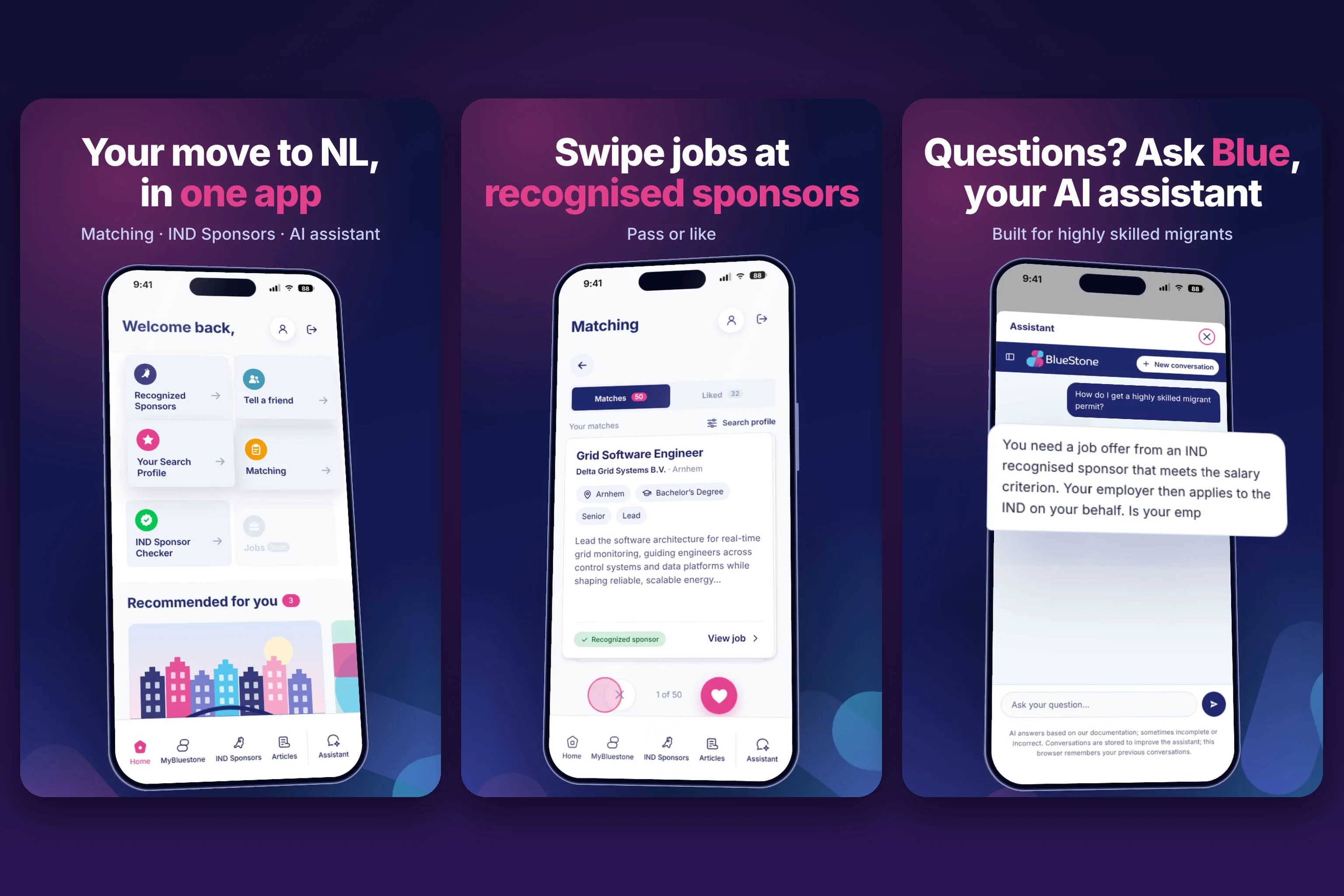
BlueStone · Job matching app for skilled migrantsThe match room: the right job, in one swipe.
An app for skilled migrants who want to move to the Netherlands. They swipe through vacancies at employers that are recognised sponsors with the IND (Dutch Immigration and Naturalisation Service), apply directly on the employer's site and ask their questions to Blue, the AI assistant. If an employer is not recognised, BlueStone becomes the employer through Employer of Record. CareScript built the matching tool together with Skeps.
Matching · App⤢
MATCHING · RECOGNISED SPONSORS · AI ASSISTANT
What we built
Matching tool: swipe vacancies at recognised sponsors with pass or like
Liked vacancies in one list, with a direct link to the application at the employer
Mobile appMatchingRecognised sponsorsPartnership with Skeps
Visit Skeps ↗🔒 A demo of the app is available on request.
3D video of the app (40 sec.): from the home screen to swiping vacancies, applying with the employer, asking the AI assistant and Employer of Record. Want a 3D video like this for your app or product? We make those too. More about 3D explainer videos →
Next step
Curious what we could build for you?
We are happy to show the private systems in a personal demo.
We only use cookies that are needed for the site to work. Visitor statistics are measured without cookies and without personal data. For any other cookies we ask your permission first. Cookie statement · Privacy.
NecessaryRemembers your cookie choice and keeps forms secure. Always on.
Statistics with cookiesNot currently in use. Our current statistics work without cookies.
MarketingTo measure the effectiveness of campaigns. Off by default.
 Live website